ProRiders Controls
Ride, brake, wheelie, and open the phone without fighting the input layer.
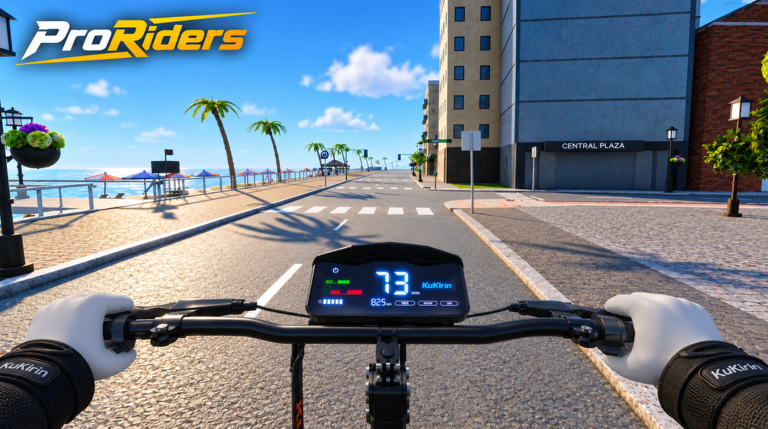
Clean inputs separate a chill Kirin Bay cruise from a burned motor and a police chase. This ProRiders controls guide covers how to ride, brake, wheelie, open the phone, and use the garage on PC and mobile. Pair it with Getting Started if you just joined, then drill Wheelies and Tuning & VESC once throttle control feels natural.
ProRiders [BETA] by briz_developer is a scooter life sim: up to 10 players per server, electric scooters you tune hard, and a city that punishes sloppy braking near speed cameras. Learn the feel of stock power before you chase Holy Fast or Faster than light!.
Core riding loop
Every session repeats the same input loop:
- Spawn scooter from the garage (phone app).
- Throttle up smoothly — electric torque hits fast.
- Steer with small corrections; scooters punish oversteer at speed.
- Brake earlier than you think, especially downhill from the hills into downtown.
- Open the phone only when stopped or at walking pace unless you already know the UI cold.
If you mash full throttle into a camera zone on the motorway, you will practice police content whether you wanted Police & Heists or not.
PC controls (practical defaults)
Exact keybinds can shift in BETA — always confirm in Roblox settings — but treat this as the working mental model:
| Action | Typical PC approach | Tip |
|---|---|---|
| Throttle / forward | Hold forward movement key | Feather on wet-looking beach boards and tight downtown turns |
| Brake / slow | Backward or dedicated brake | Brake in a straight line before leaning into corners |
| Steer | Mouse / A-D style strafe | Look where you want to go; scooters follow vision |
| Wheelie | Dedicated wheelie input / timed lift | Short lifts first — see Wheelies |
| Phone | Hotkey or on-screen phone toggle | Stop first when learning Maps and Jobs |
| Garage / spawn | Through phone Garage app | Respawn after wipe instead of rage-running on foot |
PC riding tips
- Bind comfort over defaults. If brake and throttle fight your fingers, remap early.
- Use third-person camera height that shows curb edges; Kirin Bay has sudden elevation changes between hills and beach.
- Do not open bank or store menus mid-race. Pause the urge until after the finish — Winner wants focus.
- Practice emergency stops in an empty lot before motorway pulls. Brakes matter as much as motors in Tuning & VESC.
Mobile controls
Mobile players carry a large share of Roblox traffic — ProRiders expects thumbs.
| Action | Mobile habit | Tip |
|---|---|---|
| Throttle | On-screen stick / ride button | Ease in; electric snap is easy to overcook |
| Brake | Brake button or reverse pull | Tap-brake to settle before a wheelie attempt |
| Camera | Drag free look | Pre-aim corners on downtown grids |
| Wheelie | On-screen wheelie control | Use landscape for longer balance windows |
| Phone | Phone icon | Pull over; fat-finger mistakes cancel deliveries |
Mobile-specific advice
- Play in landscape for wheelies and races.
- Lower graphic clutter if the phone UI lags — missing a brake cue costs more than pretty LEDs.
- Keep one thumb free for brake whenever you enter camera corridors on the motorway.
- For deliveries, set the next pin from Maps before you roll so you are not steering and scrolling.
Phone UI under pressure
The phone is not optional fluff. It holds store, garage, maps, bank, messages, and contacts. Control skill includes when you open it:
- Safe: stopped at garage, beach pull-out, or post-delivery curb.
- Risky: mid-wheelie, mid-pursuit, or 80+ km/h on the motorway.
- Job flow: open messages/contacts for gigs, then Maps for the route — details in Jobs & Delivery.
- Money check: Bank glance after a race or heist before you impulsively buy stickers.
New players should rehearse: spawn → ride 30 seconds → stop → open Maps → close → ride. That muscle memory prevents “UI deaths.”
Garage as a control surface
Think of the garage as part of your controls, not just cosmetics:
- Spawn before every serious session.
- Apply colours / LEDs / stickers when parked, not in traffic.
- After a motor burn from greedy VESC, return here, fix the build, and only then retry speed runs.
- Compare part choices against the Tier List so your fingers are not fighting a potato battery.
Wheelie input discipline
Wheelies pay in style, XP, and cash when held well, but they start as a control problem:
- Reach a stable mid speed on a straight beach or hill road.
- Tap brake to settle the chassis.
- Initiate the lift — do not floor throttle and yank in one motion.
- Modulate throttle to hold balance; panic brake only if traffic appears.
- Roll out straight before opening the phone.
Full payout theory and safe roads: Wheelies. Cross-train with money routes on Earn Money.
Braking for cameras and police
Speed cameras on the motorway turn “I can go fast” into “I can stop on command.” Practice:
- Threshold braking in a straight line.
- Trail braking only after you know tyre grip from upgrades.
- Full stop + phone Maps check when you are unsure which district you entered.
When you intentionally break laws for the Criminal badge path, still master brake cadence first — see Police & Heists and landmarks on Kirin Bay Map.
Control drills (10 minutes)
Use an empty stretch near the beach:
- Stop box: accelerate to cruise, full stop on a landmark, repeat 10 times.
- Slalom lite: weave gentle cones of parked cars without throttle spikes.
- Phone pull-over: ride, stop, open garage app, close, ride.
- Mini wheelie: three short lifts, no hero holds yet.
- Camera respect: approach a known camera zone, decelerate early, roll legal, exit.
Finish the drill set before you touch aggressive VESC. Tuning multiplies both skill and mistakes.
Platform quirks and BETA notes
- Roblox shift-lock, touch sensitivity, and controller users may need personal binds — test in a quiet server (remember the 10-player cap).
- After patches, re-check whether wheelie or phone hotkeys moved; skim Updates.
- If scripts or macros tempt you, read Scripts carefully and stay within Roblox rules — this guide assumes fair inputs.
What good control feels like
You “have controls” when you can: spawn from garage without menu panic, feather throttle out of downtown lights, brake before cameras, hold a short wheelie on a safe road, and open Jobs/Maps without crashing into a railing. From there, money and tuning guides compound your skill instead of covering for it.
Next reads: Wheelies, Tuning & VESC, Earn Money, and the index on Guides Hub.
Frequently Asked Questions
Quick answers for Kirin Bay riders.
Should I learn controls on PC or mobile first?
Use whichever device you main. Practice stop-box and phone pull-over drills on that device before racing or heisting.
When should I open the phone while riding?
Stop or slow to walking pace first. Opening Maps or Jobs at motorway speed is how beginners crash or eat cameras.
How do wheelie controls relate to earning money?
Stable wheelie inputs boost riding payouts and XP. Learn short lifts here, then use the Wheelies and Earn Money guides for routes and value.
Do better parts change how controls feel?
Yes. Stronger motors and VESC raise acceleration; better brakes and tyres improve stop distance. Retune your brake timing after upgrades.
Where do I spawn my scooter?
Use the Garage app on the in-game phone. Spawn before long rides instead of walking across Kirin Bay.